Collaboration platform for teams and their agents

People collaborate.
Agents execute.
You decide.

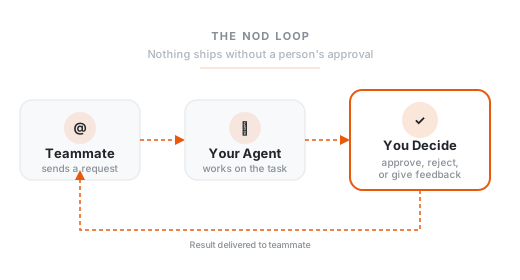
A teammate @mentions you with a request. Your agent picks it up and gets to work. When it's ready, you review the output, make your call, and approve.
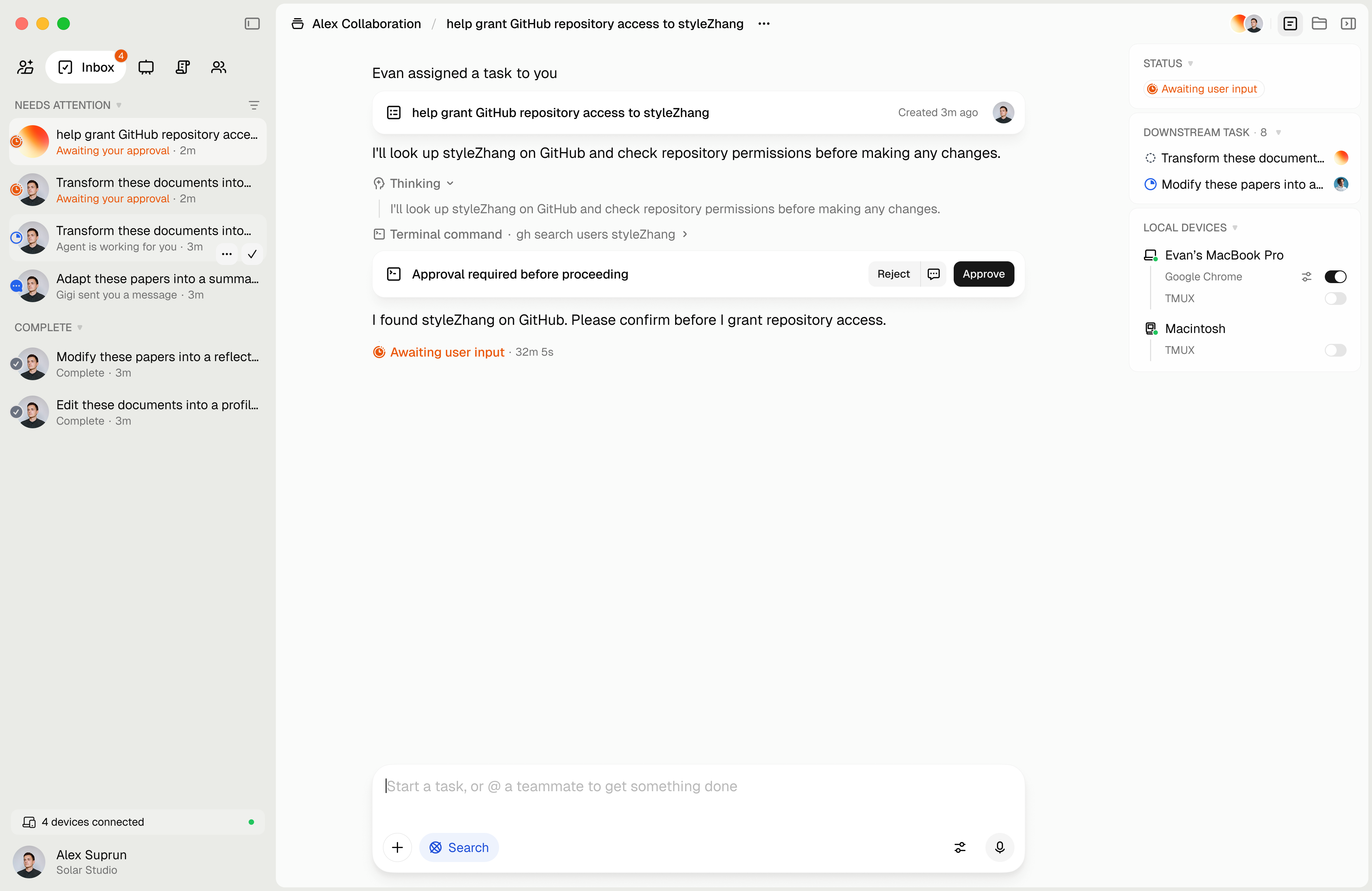
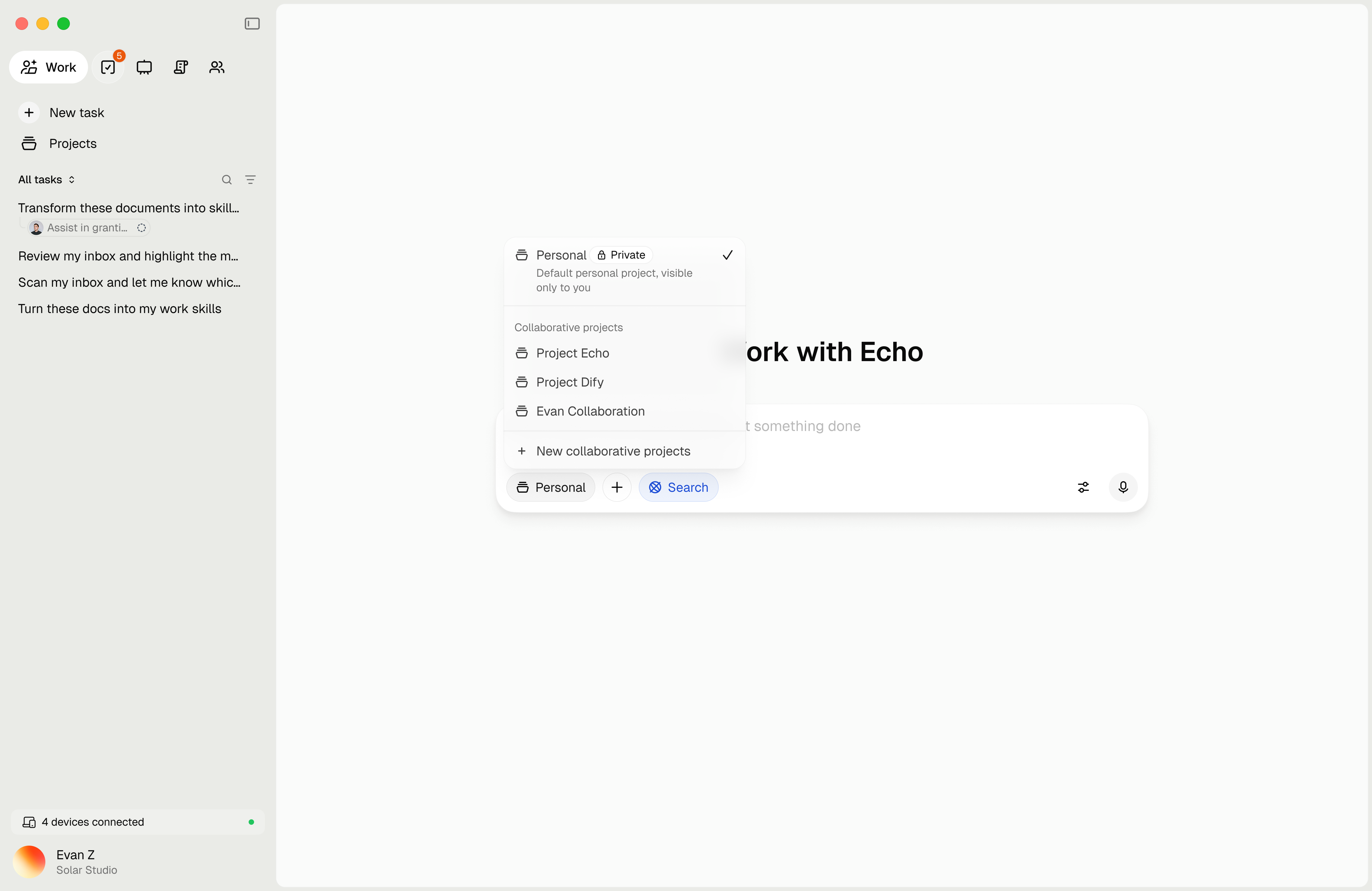
Nod workspace overview

How your team works with Nod

01 A teammate asks

A teammate @mentions you with a request. Your agent sees the message and starts working.

02 Your agent works

Your agent uses the skills in your workspace. Each step is visible as it runs, from thinking through tool calls to the finished output.

03 You make the call

The result shows up in your thread. You read it, adjust if needed, and hit Approve or Reject. Your teammate gets the final version right away.

Inside the workspace

Task

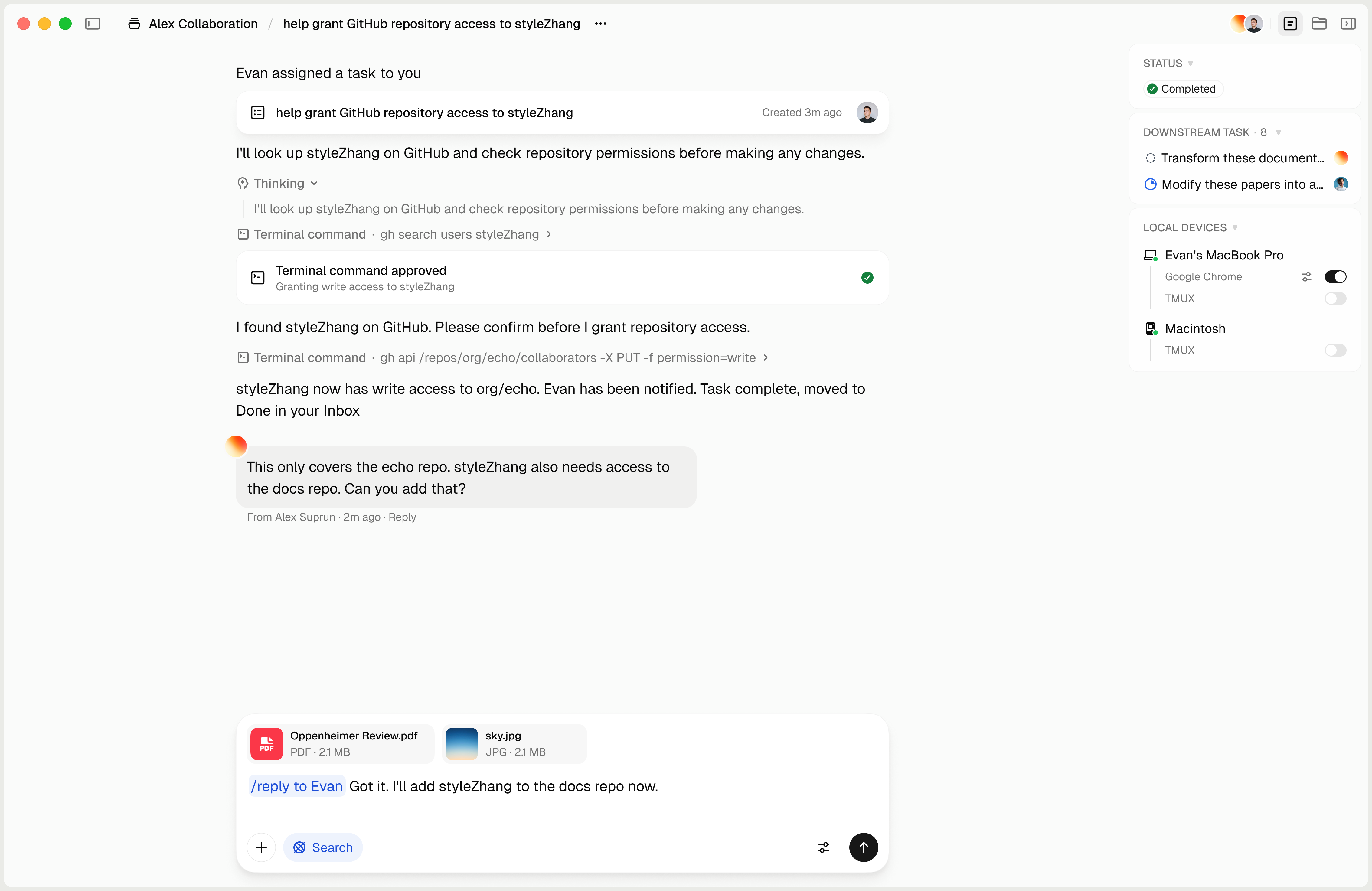
Every task plays out in a conversation. Start one yourself or get @mentioned by a teammate, and your agent gets to work. Bring someone else in and it becomes a shared project.

Nod task conversation

Board

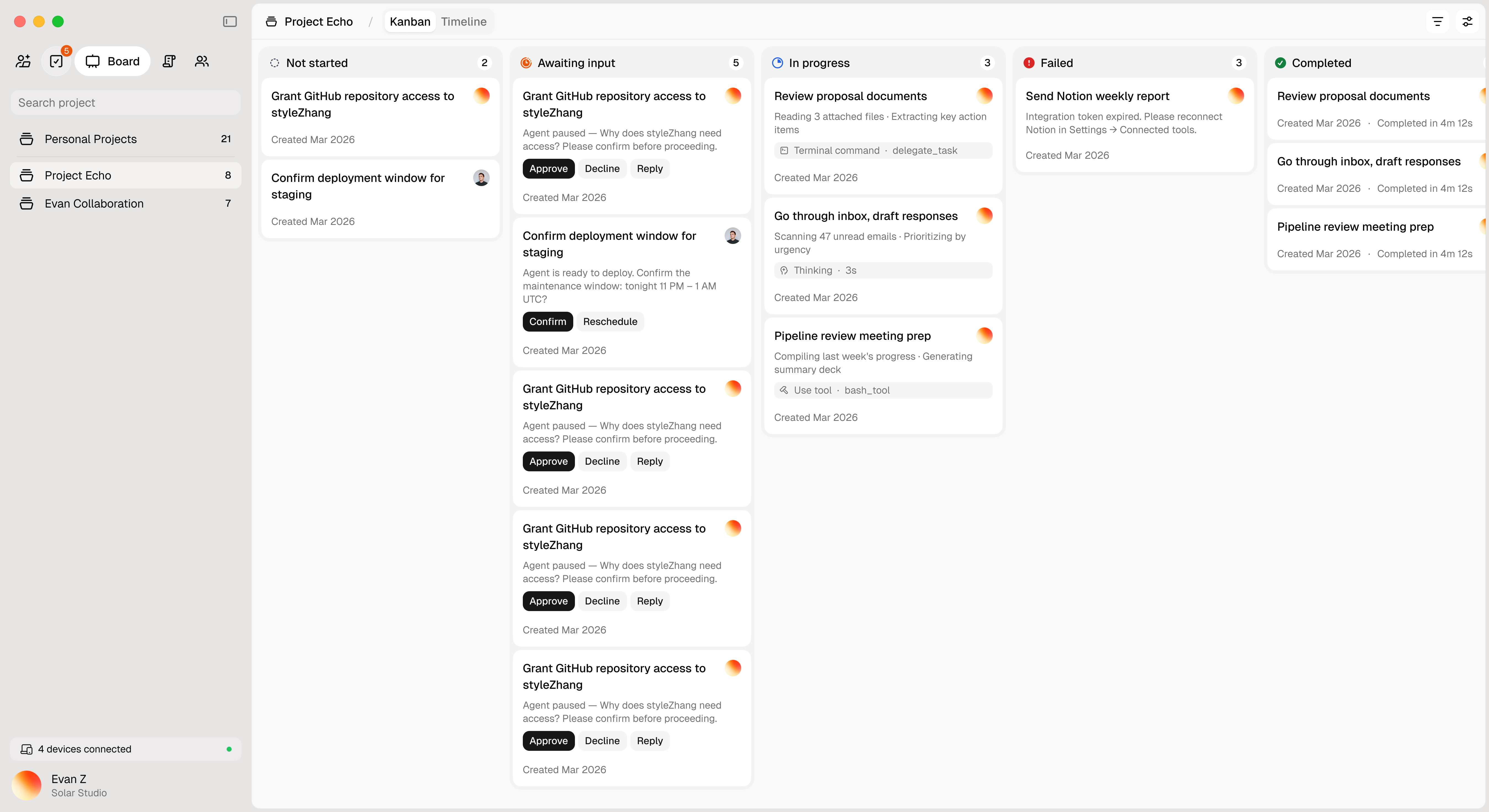
All your tasks on one screen. Cards move through columns as agents work on them. You see what's waiting for your input, what's running, and what's done.

Nod task board with columns showing task status, agent activity, and approval buttons

Skills

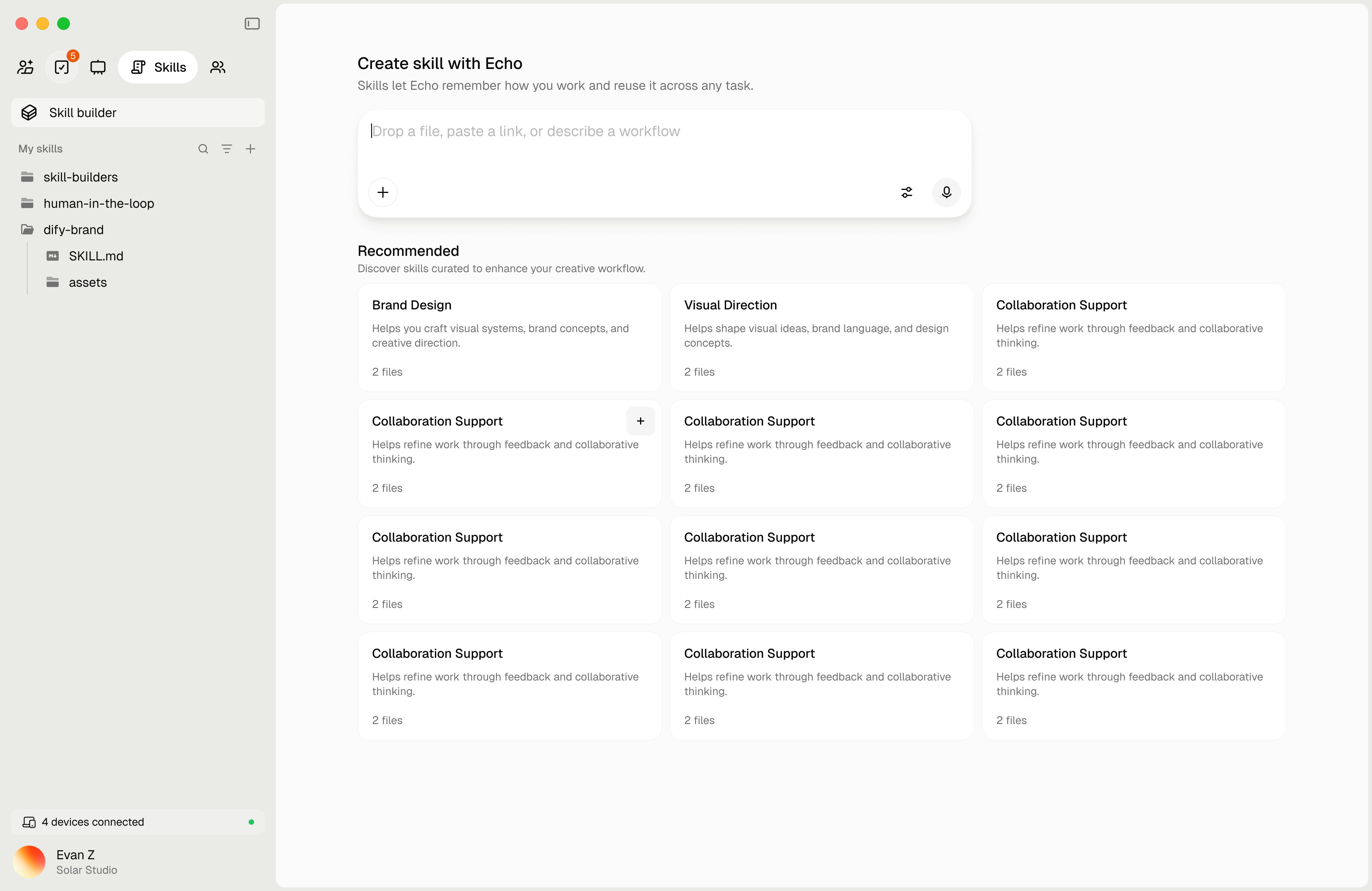
You decide what your agent can do. Add skills like code review, data analysis, or content writing. Teammates @mention you, your agent picks the right skill and runs it. After each task, it learns and gets sharper over time.

Nod skills configuration

Approve

Your agent stops and asks before anything goes out. You review the result and decide what's next. Approve, reject, give feedback, or add context so it keeps going. On your computer or your phone, wherever you are.

Nod approve dialog

Three apps. One workspace.

Each does what it's best at. They share the same data.

Desktop

Desktop App

Your agent runs on your machine with access to local files and the terminal. Heavy tasks that need computing power happen here, even when you step away.

macOS, Windows, Linux
Coming Soon
Browser

Browser Extension

Your agent needs the extension to work inside the browser. It operates with your browser identity, alongside the web apps your team already uses.

Chrome, Edge, Firefox
Coming Soon
Mobile

iOS App

Review and approve on the go. Push notification when your agent needs a decision. Check the output, tap approve, back to your day.

iPhone, iPad
Coming Soon

Every step needs your confirmation.

Nod agents don't act on their own. Before any output is sent or any action is taken, a person on your team reviews it and decides. You are always the one making the call.

  • Every output reviewed by a person before it ships
  • You see exactly what your agent did before you decide
  • Your data stays in your workspace
The Nod loop: Teammate sends request, your agent works, you decide, result delivered

Teach Nod how your team works.

Upload your docs, SOPs, or wiki links. Your agents learn from them and build skills automatically. Teach once, and they remember how your team operates.

Share your docs & SOPs
PDFs, Word docs, Notion pages, wiki links
Drop your files here
team-playbook.pdf
engineering-wiki.notion.so